
Exit intent is a behavioural trigger that detects when a website visitor is about to leave, usually by tracking cursor movement towards the browser controls or, on mobile, rapid upward scrolling. E-commerce teams use it to display an overlay carrying an offer or basket reminder before the session ends.
Exit intent is the detection of a visitor's intention to leave a website before they act on it, based on real-time behavioural signals. Once detected, it triggers an onsite action, most commonly an overlay, widely referred to as a pop-up, designed to hold the visitor's attention, capture their email address, or convert them with an offer before the session ends.
For commercial and marketing teams, exit intent matters because it addresses the largest leak in the e-commerce funnel: sessions that end without a purchase. Most of those sessions never reach a basket at all, and among those that do, the average cart abandonment rate sits at 70.22% according to Baymard Institute's meta-analysis of 50 separate studies.
Exit intent technology monitors visitor behaviour in real time and fires a trigger when specific patterns indicate the session is about to end. The signals it reads differ by device.
On desktop, the primary signal is cursor movement. When the mouse travels quickly towards the top of the browser window, heading for the back button, the URL bar or the close tab control, the exit intent script fires. This remains the most reliable signal available because the movement pattern is distinct from ordinary browsing, where the cursor stays within the page.
Mobile has no cursor to track, so detection relies on alternatives:
Detection on its own is only half of the mechanism. The rules layered on top of the trigger determine whether the resulting experience helps or irritates, because a trigger that fires on every visit for every visitor trains people to dismiss it without reading. Frequency capping, page-level targeting and audience qualification all narrow the trigger to the sessions where an intervention is worth making.
Within Uniqodo's Onsite Experiences, exit intent sits in the display rules as one of several interaction triggers, alongside user inactivity, time on page, device type, clicks on a specific element, and highlighting or copying content. Each experience is then governed by schedule rules covering dates and times, display rules covering where and when it fires, behaviour rules covering what happens once a visitor closes or converts, and optional audience rules that qualify visitors in or out before they reach the trigger at all. The practical effect is that the same exit overlay can run for first-time visitors with a populated basket and stay hidden from everyone else.
Exit intent is one of several triggers that can govern when an onsite experience appears, and what separates it is that it responds to a departure signal rather than an elapsed condition. A timed delay fires after a set number of seconds and a scroll trigger fires at a set depth, both regardless of what the visitor intends to do next.
When the trigger fires, what the visitor sees determines whether firing it was worth doing. Four formats account for most exit intent pop-ups in e-commerce:
The four divide along a line that matters commercially. Basket reminders and urgency messaging cost nothing to redeem, so they can run against any qualifying session without affecting margin. Discount offers and incentivised email capture both concede value on every redemption, which makes the rules governing who sees them the difference between a recovery mechanism and a leak.
For teams accountable for both conversion rate and promotional margin, exit intent occupies a specific strategic position: it is a segmented discount, not a blanket one.
The discount reaches only the visitors who need it. A sitewide 10% offer discounts every order, including the majority that would have converted anyway. An exit intent offer reaches visitors who have demonstrated they are about to leave, so the concession concentrates on the segment where it changes behaviour. That makes the incremental revenue case cleaner than an always-on promotion.
The results are attributable. The trigger firing, the overlay impression, the code issue and the redemption are discrete events. Teams can report how many abandoning sessions were recovered and at what discount cost.
Both advantages depend on the code not being leaked. A single generic code shown in an exit overlay leaks quickly, reaching voucher sites and cashback extensions, and shoppers who were never going to abandon apply it at checkout. The discount stops being segmented and the attribution stops meaning anything, because redemptions no longer correspond to recovered sessions.
.png)
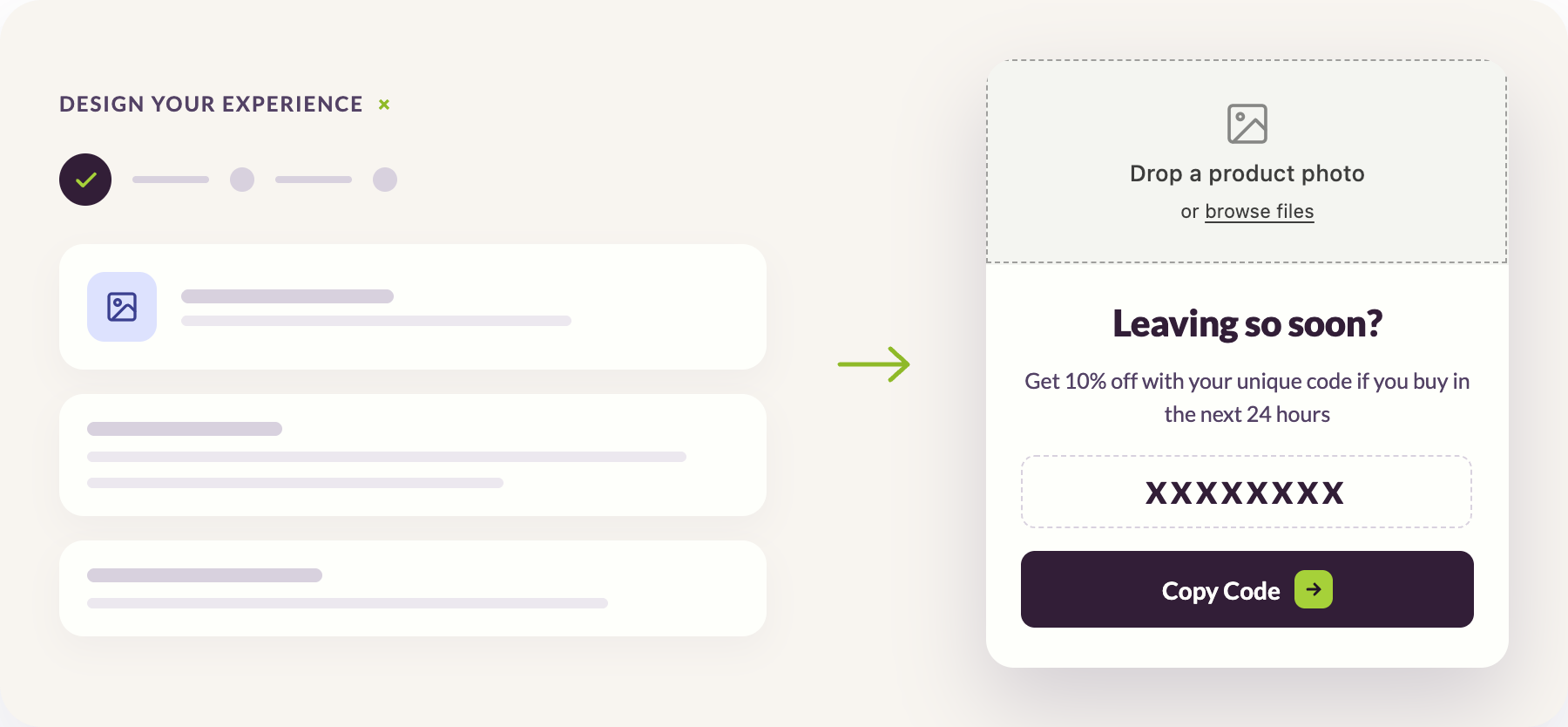
Uniqodo's Promotion Engine serves a unique single-use code to each visitor when the overlay displays, with an expiry window set against the moment of issue rather than a fixed campaign end date. A code that works once and lapses within a defined period cannot circulate, which keeps the discount confined to the sessions the trigger identified.
Exit intent performs or fails on the rules around it rather than on the detection itself. Four things separate a programme that recovers revenue from one that annoys visitors.
Exit intent detects the point at which a visitor is about to leave and uses it to trigger a final onsite experience, reading cursor movement towards the browser controls on desktop and scroll or inactivity signals on mobile. Its value is not the detection but the timing: it reaches visitors whose intent has already resolved towards leaving, which is what makes it a segmented discount rather than a blanket one and gives the offer a defensible incremental revenue case.
Whether that value survives contact with the discount depends on two things:
Detection is the easy part, and the part every tool in the category can do. What happens to the offer afterwards is what separates a recovery programme from a margin leak.
An exit intent pop-up is an overlay that displays when a visitor shows signs of leaving a page. It usually carries a discount, a basket reminder or a sign-up prompt, and it is the most common action taken once an exit intent trigger fires.
Mobile has no cursor to track, so detection relies on rapid upward scrolling, back-button presses, tab switching and periods of inactivity. These signals are less definitive than desktop cursor movement, which means mobile exit intent needs its own sizing and targeting rather than the desktop configuration applied unchanged.
They can, and frequency is usually the cause rather than the format. An overlay that appears once per session, only for qualifying visitors, and with an obvious way to dismiss it, is far less intrusive than one that fires on every visit regardless of context.
Not always. Basket reminders and low stock messaging cost nothing to redeem and work well for visitors whose hesitation is not about price. A discount is worth conceding where price is the obstacle, and in that case a unique single-use code prevents the offer reaching shoppers it was never intended for.
Cart abandonment describes an outcome, a basket created and left without purchase. Exit intent is a detection method that can be used to intervene before that outcome occurs, and it applies to visitors who never reached a basket at all.

Stop code leakage. Replace shareable generic codes with high-entropy unique strings. Protect your margins by ensuring discounts only apply to the intended audience under specific, validated conditions.

Execute complex campaigns. Move beyond basic discounts with multi-tiered rewards, product bundles, and discounts, all managed without waiting for a developer to clear your roadmap.

Convert with intent. Use real-time data to trigger onsite nudges or referral loops exactly when they matter. Create a unified journey that turns browsing interest into confirmed sales.

Scale partner sales. Automate the delivery of unique codes to thousands of partners instantly. Replace manual spreadsheets and CSV exports with secure, trackable API distribution.




We'll show you exactly how Uniqodo handles your use case - fraud controls, mechanic complexity, and ROI attribution included.